
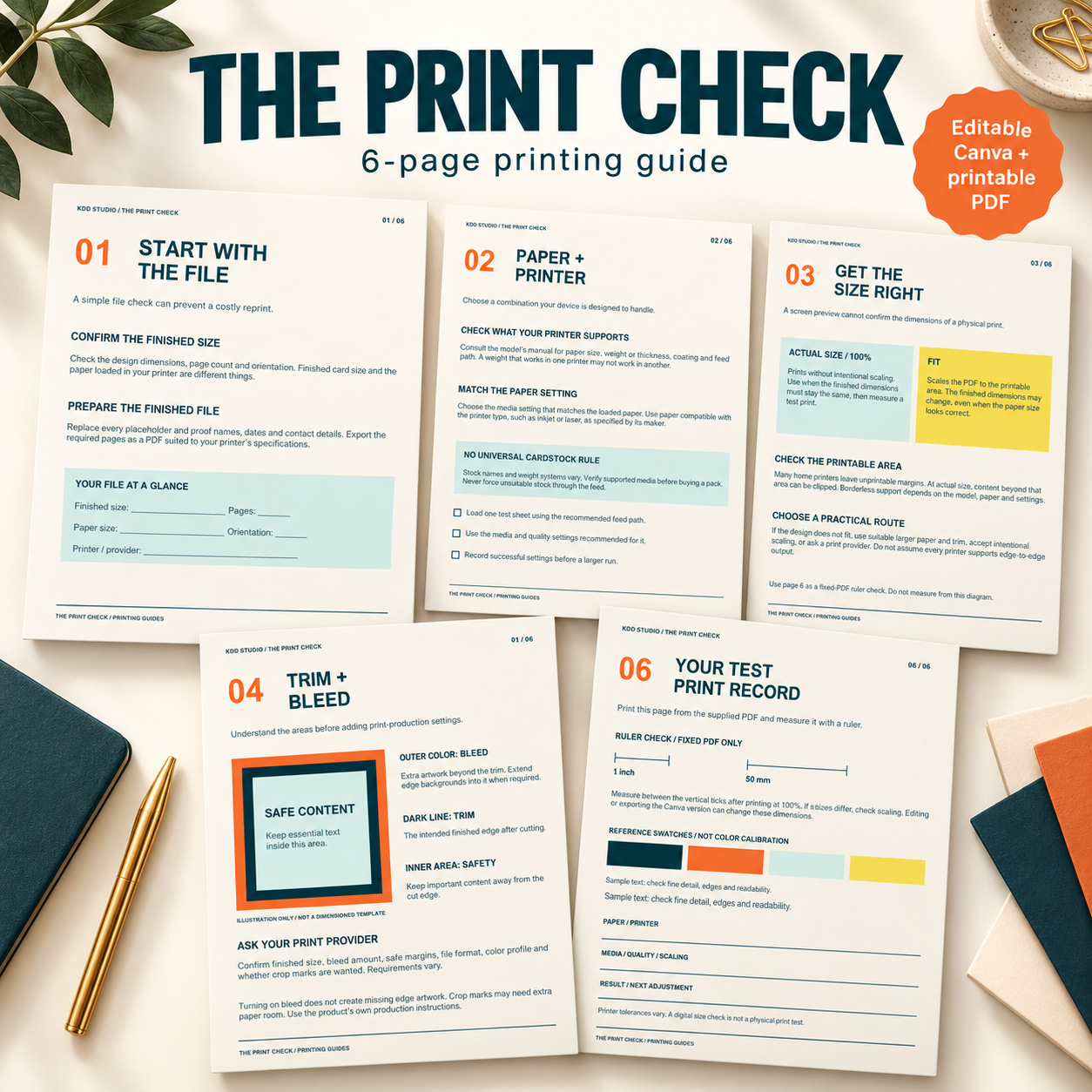
The Print Check
Printing Guides
US$0.00
A free six-page printing guide with an editable Canva copy, a matching US Letter PDF and a clickable Start Here guide. Check files, materials, print sizing, trim and bleed, then record a physical test print. Digital download only.
Free resource. Add to cart and complete the $0 checkout to access your download.
Description
The Print Check: practical printing guides for your next project
Prepare your next printable with more confidence. The Print Check is a free six-page resource from KDD Studio that helps you review your file, choose suitable materials, check dimensions and record a test print before producing the full batch.
What is included?
- Start with the file: check finished dimensions, orientation and personalized details.
- Paper + printer: confirm supported media and settings for your equipment.
- Get the size right: understand Actual size, 100% and Fit.
- Trim + bleed: learn what the areas mean and what to ask your provider.
- Test before a full run: review readability, trimming, size and color.
- Your test print record: record materials and settings, with one-inch and 50 mm ruler checks in the fixed printable PDF.
Editable and printable formats
Your ZIP contains a clickable Start Here PDF, one six-page US Letter printable PDF, usage terms and a README. The Start Here button opens a customer-copy Canva template containing all six pages. A Canva account and internet access are needed to edit your copy. The printable PDF is static, not a fillable form.
Check the physical result
The ruler-line geometry in the supplied PDF has been digitally verified. Print page 6 at Actual size or 100% and measure between its vertical end ticks with a physical ruler. Editing or re-exporting the Canva version may change dimensions. Your equipment and print settings determine the actual printed result.
Follow your printer manual and your print provider’s specifications for paper, feed paths, bleed, crop marks and color. Requirements vary. The trim diagram is illustrative, and the swatches are visual references rather than color calibration targets. No exact screen-to-print color match is guaranteed.
Usage
Use this guide for personal projects or internal planning for one business. You may share completed project records with production helpers. Do not redistribute or resell the guide, blank files, package or template link. Read the included terms. Layouts are non-exclusive. This is a digital resource; no physical goods or printing service are included.
Related products
-
Color Guides
US$0.00 Add to cart -
Sale!

Signature Holiday Collection™
Original price was: US$29.99.US$22.99Current price is: US$22.99. Add to cart -
Sale!
Birthday Success System™
Original price was: US$49.00.US$39.00Current price is: US$39.00. Add to cart -
Sale!
AI Productivity System™
Original price was: US$29.99.US$22.99Current price is: US$22.99. Add to cart
Reviews
There are no reviews yet.